

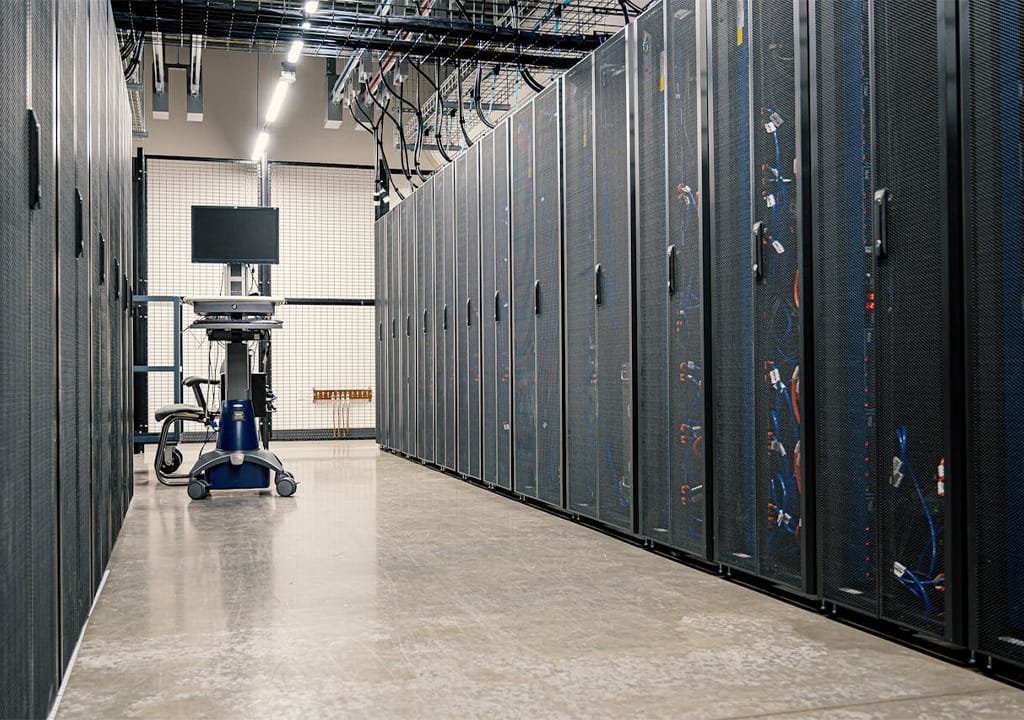
An 8-GPU AI server is not just a bigger server. It is one of the heaviest electrical and cooling loads you can put in a rack, and the room it goes into matters as much as the hardware. AI projects are easily delayed by weeks when a server arrives before the circuit, the cooling or even the door is ready for it.
This guide covers what to plan before an NVIDIA H200 or RTX PRO 6000 Blackwell 8-GPU server arrives.
How much power does an 8-GPU server use?
The NVIDIA H200 NVL and the RTX PRO 6000 Blackwell can each draw up to 600W. Eight of them can draw up to 4.8kW for the GPUs alone. Add the processors, memory, network cards, drives and the fans that cool it all, and a complete 8-GPU server under sustained load is typically in the region of 6kW or more, depending on the configuration. Our 8-GPU servers, for example, run on four 3,200W Platinum power supplies.
For comparison, a typical 2U business server draws a few hundred watts. One AI server can use as much power as a whole rack of ordinary servers.
Electrical: circuits, PDUs and redundancy
- Dedicated circuits. An 8-GPU server needs its own high-amperage circuits, usually from a three-phase supply (380V in Egypt, 400V in the UAE), installed by a qualified electrician.
- The right connectors. High-wattage server power supplies commonly use C19/C20 connectors rather than the C13/C14 connectors on ordinary servers. Check that your PDUs have enough of the right outlets.
- PDU capacity. Rack PDUs must be rated for the full load, with headroom.
- Two feeds. GPU servers have redundant power supplies. Connect them to two independent power feeds (A and B), so one feed can fail without stopping the server.
- UPS and generator. Size your UPS for the new load and decide how long it must run: long enough to shut down safely, or long enough for a generator to start.
Cooling: every watt becomes heat
Almost all the power a server uses ends up as heat in the room. One kilowatt is about 3,412 BTU per hour, so a 6kW server produces about 20,500 BTU per hour: roughly 1.7 tons of cooling, running 24 hours a day.
- Use precision cooling where possible. Comfort air conditioners are designed for offices, not for continuous high-density heat loads.
- Keep airflow front to back. Data-centre GPUs such as the H200 NVL use passive heatsinks with no fans of their own, relying completely on the server’s fans pulling cool air through the chassis.
- Separate hot and cold air. Arrange racks in hot and cold aisles and fit blanking panels in empty rack spaces, so hot exhaust air does not loop back to the server’s intake.
- Watch inlet temperature. ASHRAE recommends server inlet air between 18°C and 27°C. Measure at the front of the rack, not at the thermostat.
Rack space, weight and access
- Height. 8-GPU servers usually take 4U or more of rack space.
- Depth. They are deep. Check your rack depth and the rail kit before ordering.
- Weight. A fully loaded GPU server weighs several dozen kilograms. Plan a lift or enough people to mount it safely, and check the rack and floor ratings.
- Getting it in. Check door widths, lifts and loading access, and data centre access permits, before delivery day.
Noise
GPU servers are loud under load. They belong in a server room or data centre, not in an open office or a meeting room.
Networking for AI
A single GPU server needs fast connections to its storage and users, often 100GbE or more. Clusters of GPU servers use high-speed fabrics such as InfiniBand or RoCE so GPUs in different servers can work together. Plan the switches and cabling with the servers, not after.
No server room? Two alternatives
- In-country colocation. House the server in a professional data centre in Egypt or the UAE, with the power and cooling already in place, while you keep full control of the hardware and data.
- NVIDIA DGX Spark. For development and smaller models, DGX Spark runs from a 240W external power supply and sits on a desk. See how it compares to 8-GPU servers.
Pre-delivery checklist
- Confirm the server’s maximum power draw and connector type with us.
- Dedicated circuits and PDUs installed and tested, on two feeds.
- UPS and generator capacity checked for the new load.
- Cooling capacity checked for the extra heat, with front-to-back airflow.
- Rack space, depth, rails and weight rating confirmed.
- Network ports, cabling and switch capacity ready.
- Delivery route, access permits and installation date agreed.
We plan it with you
Our engineers size GPU servers to your workload and talk you through the power, cooling and rack requirements of the configuration we recommend, then deliver, rack, cable and install the system. Request a GPU server quote, or book an engineer for installation.
